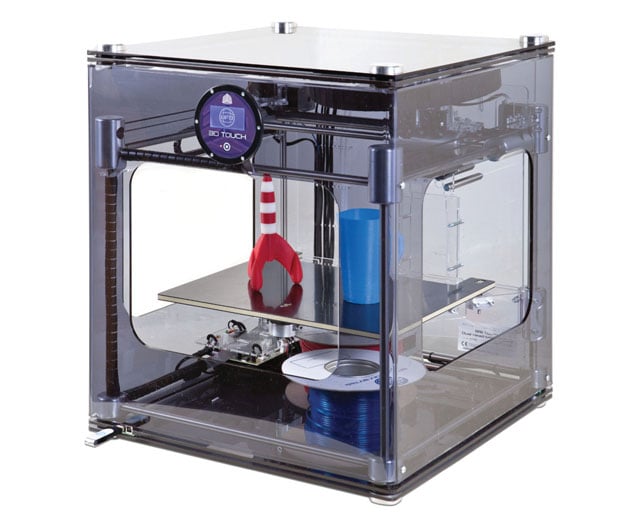
 |
| 3d Touch shown here |
This led me to do some research on amateur approaches to 3d printing, and after reading a Popular Mechanics article on the subject, I decided to try my hand at Tinkercad.
For those new to the whole world of 3d sculpting, Tinkercad is like a poor man's Autocad. A really poor man's Autocad. For a total beginner like me, though, this was perfect. I could see if I was actually any good at this sculpting stuff before going out to buy a multi-thousand-dollar toy. I mean investment. Yeah, we'll go with investment.
Much to my surprise, I don't actually suck at Tinkercad. The gist of the program (an online interface, by the way - no install needed) is that you piece shapes together to make the forms you want. You can "sculpt" shapes by using the negative space function (turning a shape into a "Hole"), ending up with some impressive specimens like the ones you see below.

Now, I'm not trying to say that you should use Tinkercad to replace the amazing stuff you'd be picking up from professional sculptors. I'm saying that sometimes you might want nicer doors, some 3d windows with ledges, some really custom-made bases...and that's where 3d sculpting/printing is great. It really doesn't take much skill to throw together the sort of stuff you see above, and you can only get better if you're willing to put in some time to learn.
Another really awesome thing about Tinkercad is that you can share designs easily, like this. So go out there, throw some stuff together, and hunt down your closest 3d printer (check out public libraries!) to get some custom stuff on the tabletop!
I messed around with that program a little bit just to see, seems pretty neat. But does it allow you to save the files in a format that these printers and such even use?
ReplyDeleteIt's completely different from Autocad by the way, which is horrible for 3D drafting in my experience, you would probably be looking more towards Solid Works or Rhino or something like that.
But you would really have to make a ton of man hole covers to be worth the money hah. It is really neat thou.
Yeah, it allows you to export files in a printable format. :)
ReplyDeleteHehe. The benefit is that you can make manhole covers AND lamp posts AND assorted terrain bits to fancy up what you have AND replacement pieces for board-games AND...the list goes on!